
AWS IAM Roles & EC2 Instance Profiles
Application that run on EC2 Instance must include AWS credentials in AWS API request. You could have developers to uplaod credentials directly to instances, but developer need to check again the credential can securely access AWS API and update each amaszon credential when time will come. It’s painfull workflow.
Instead you can add should use IAM role to manage temporary credentials for application that run on EC2 instance. When use a role, you don’t have to distribute long-term credentials (like sign-in credentials or access keys).
Reference :
- Use IAM role to grant permissiont to application running on EC2 Instances
- Instance Metadata Services
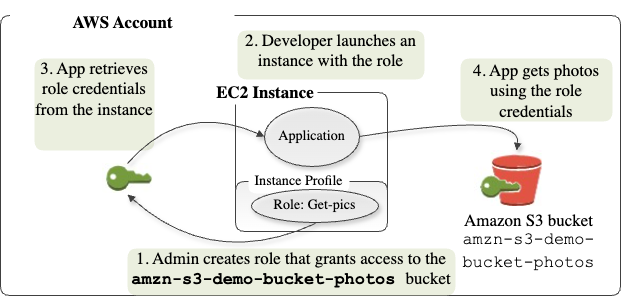
Real world usecase : A web server running on EC2 needs to fetch secrets on AWS System Manager Parameter Store (SSM) and upload logs to S3 bucket-without embedding long-lived api keys in your AMI
Skenario : Design IAM Role WebServerRole that allows only ssm:GetParameter, s3:PutObject.
Create role WebServerRole, with policy allows ssm:GetParameter, s3:PutObject to one bucket prefix
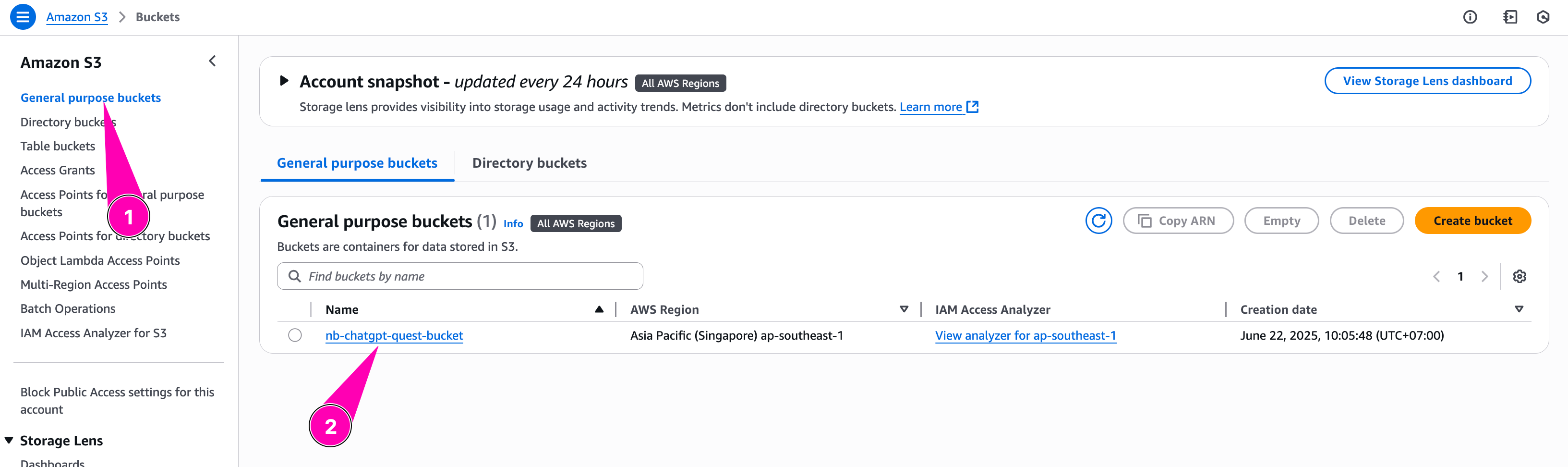
S3 Bukcet
Amazon S3 is an object storage service that offers industry-leading scalability, data availability, security, and performance
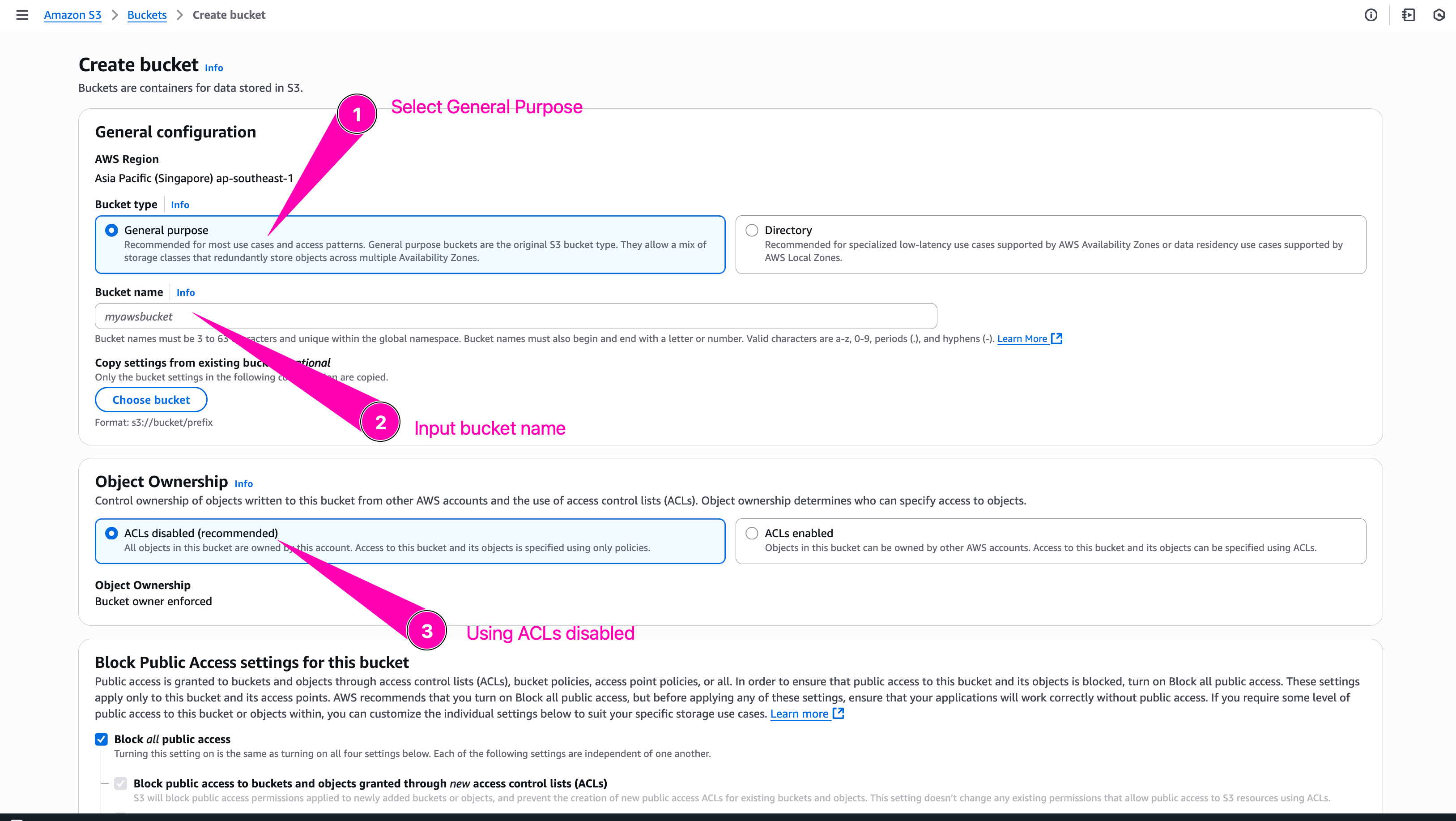
To create bucket first navigate to S3
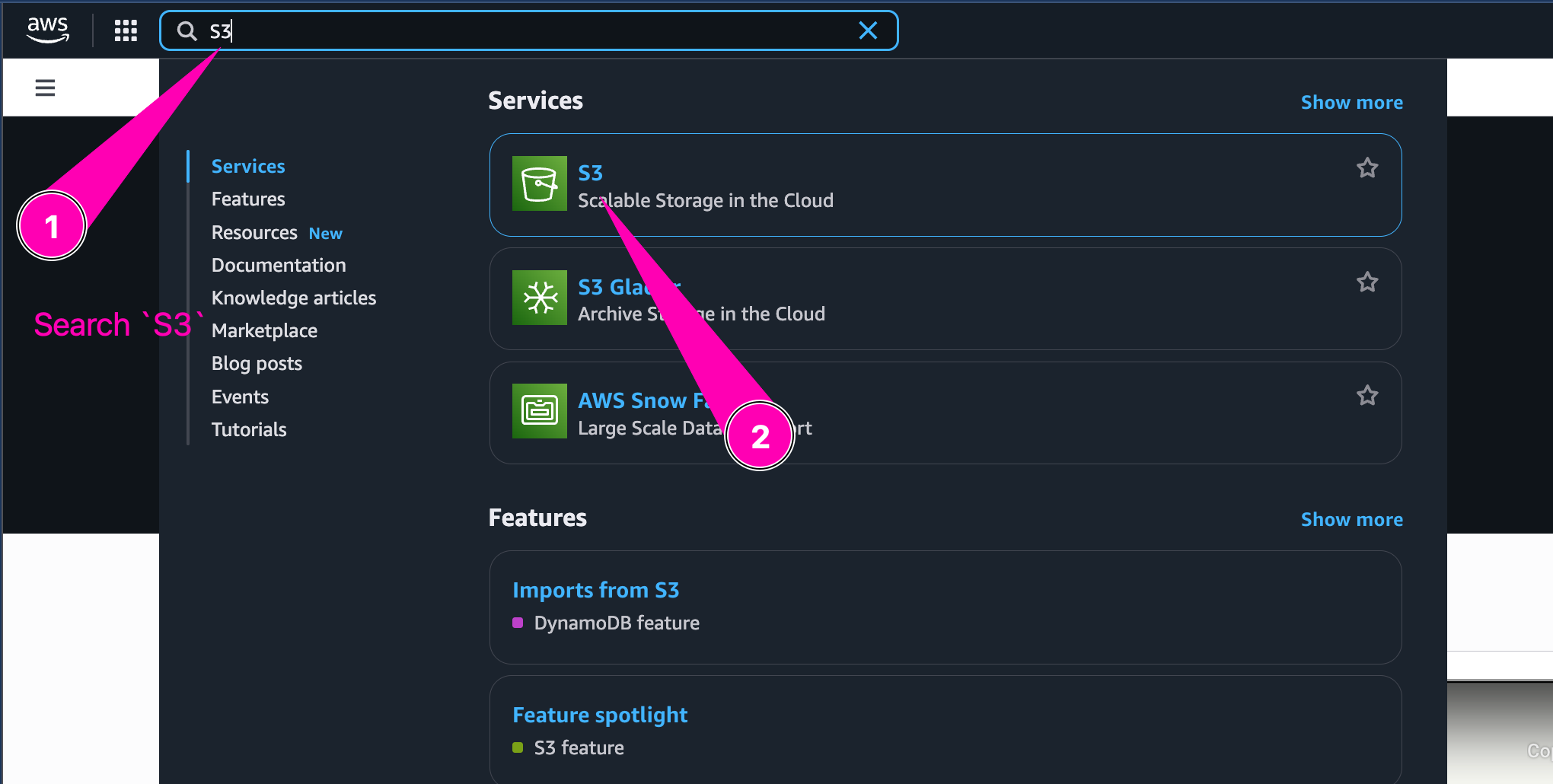
Click Create S3
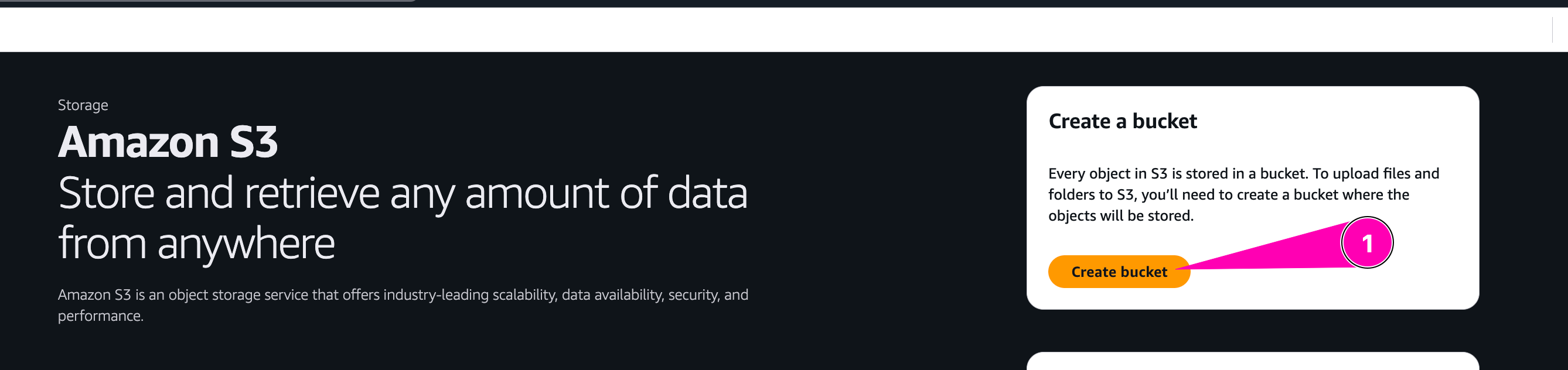
Begin to setup new bucket
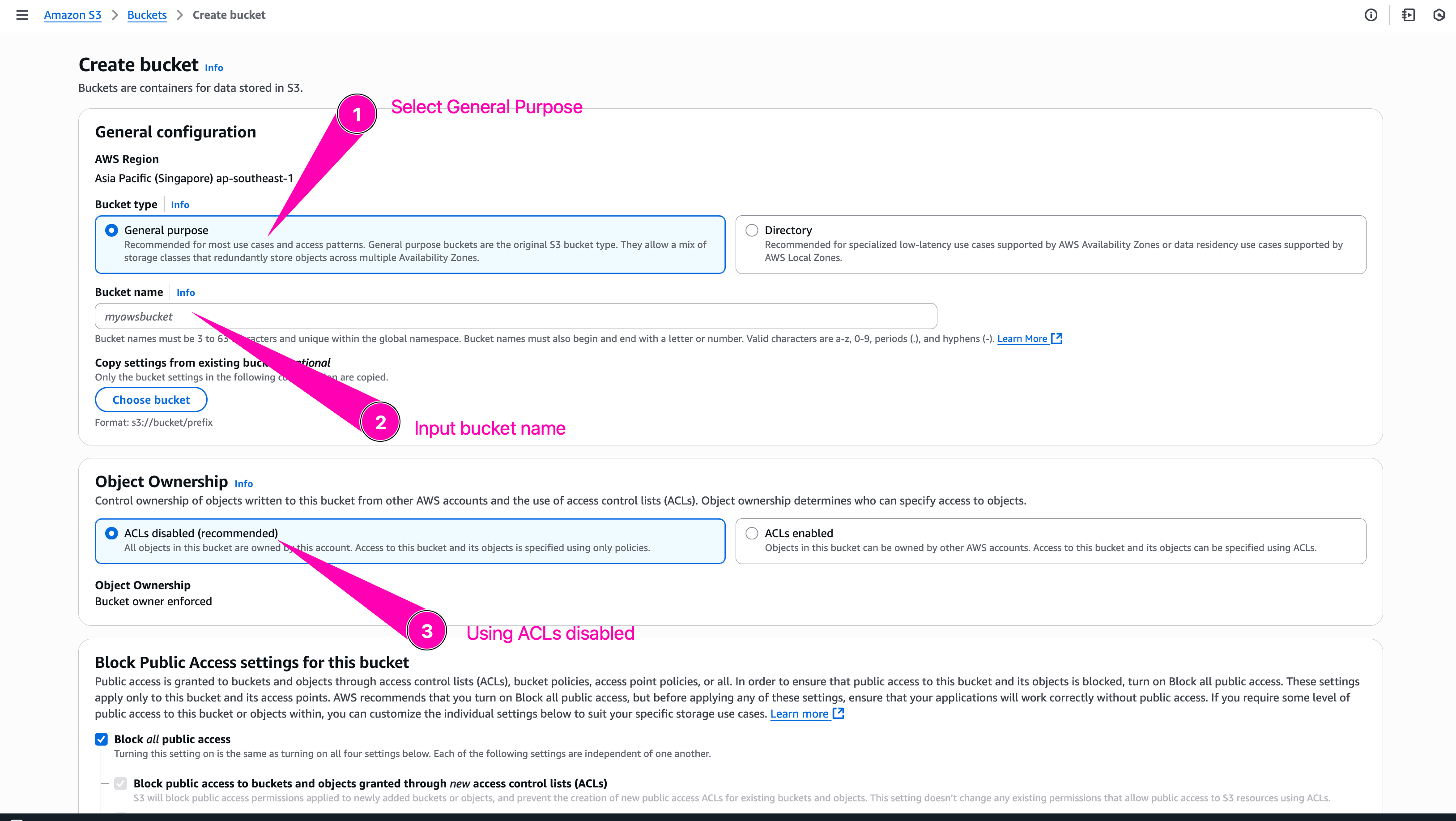
Bucket name must uniqe becaus after a bucket is created, the name of that bucket cannot be used by another AWS account in any AWS Region until the bucket is deleted
Leave everything with default configuration, and click Create Bucket
Bucket created.
Role
Create an IAM Role WebServerRole that’s allows only ssm:GetParameter, s3:PutObject.
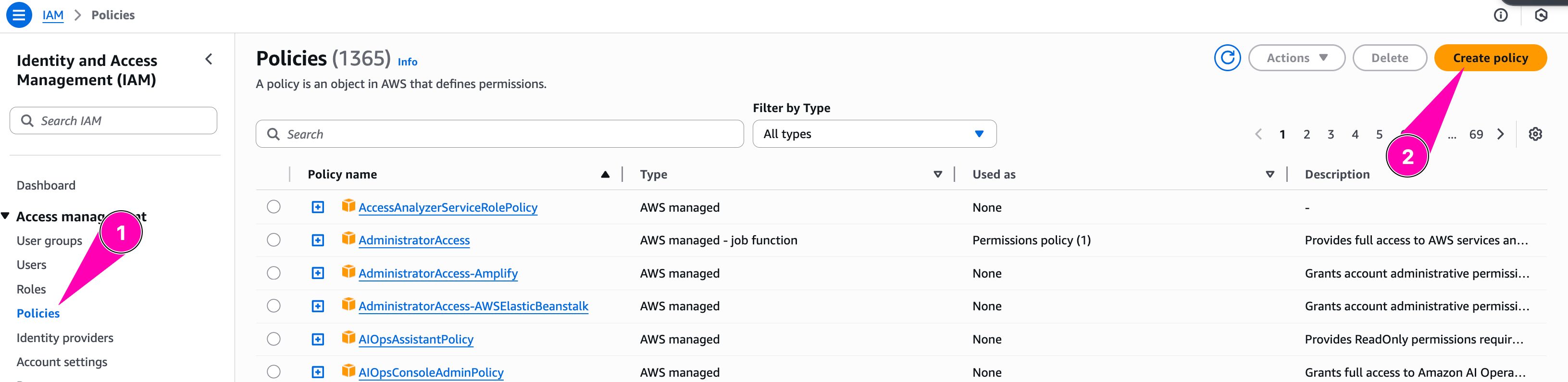
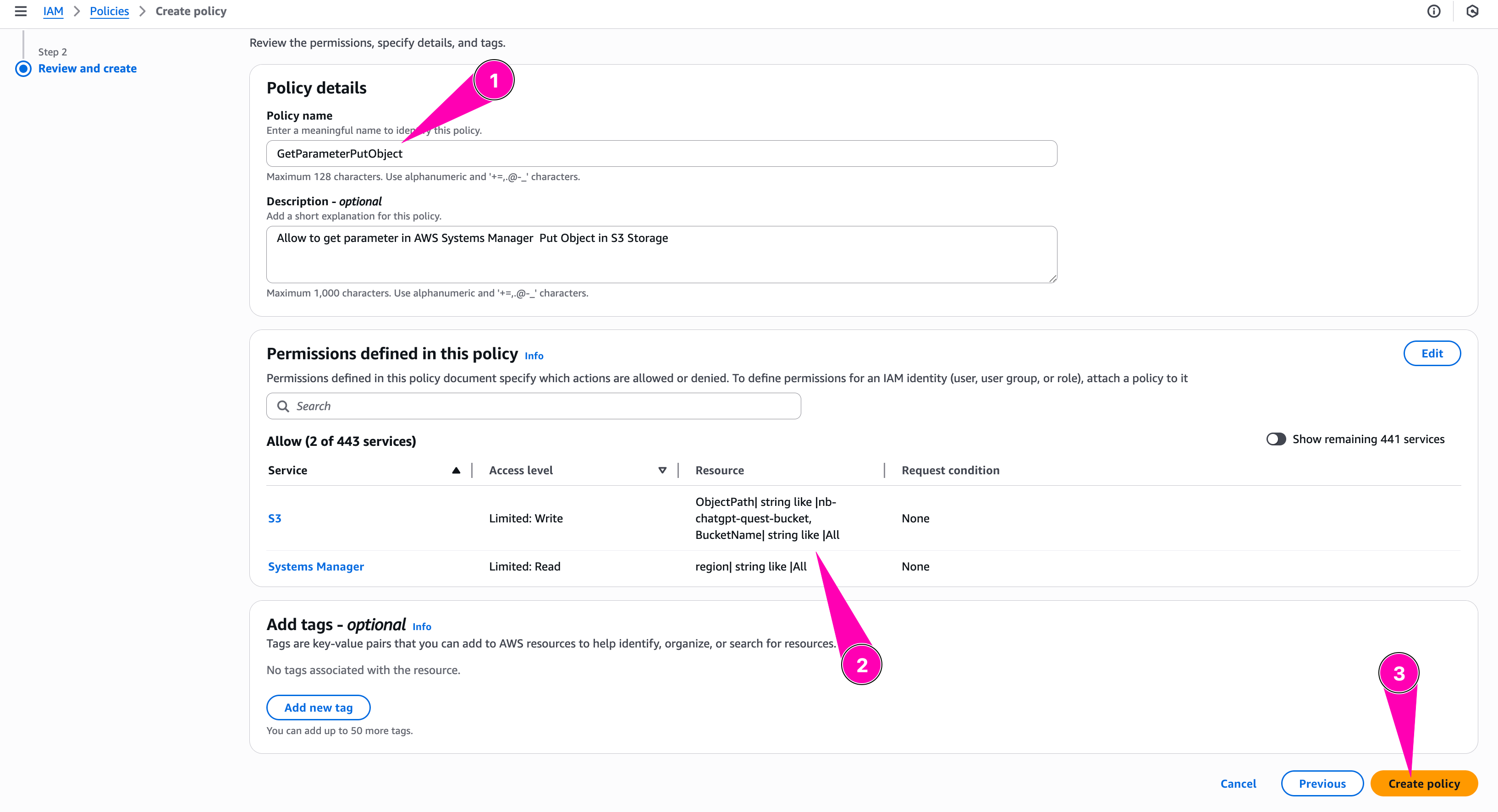
Create policy first, with name GetParameterPutObject. Navigate to Identity and Access Management (IAM) > Policies > Create Policies
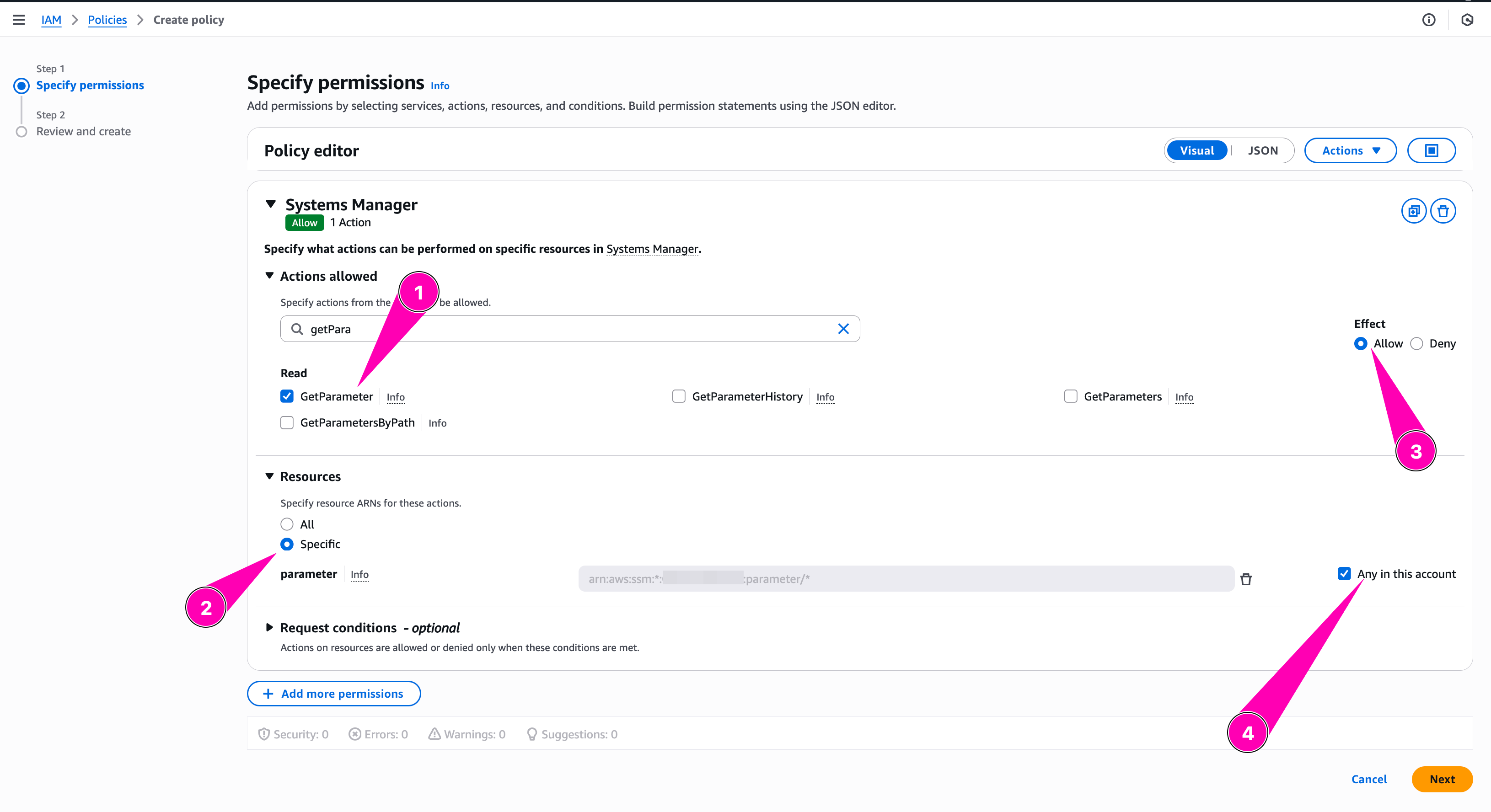
We configure policy to allow GetParameter on spesific parameter store path on any region
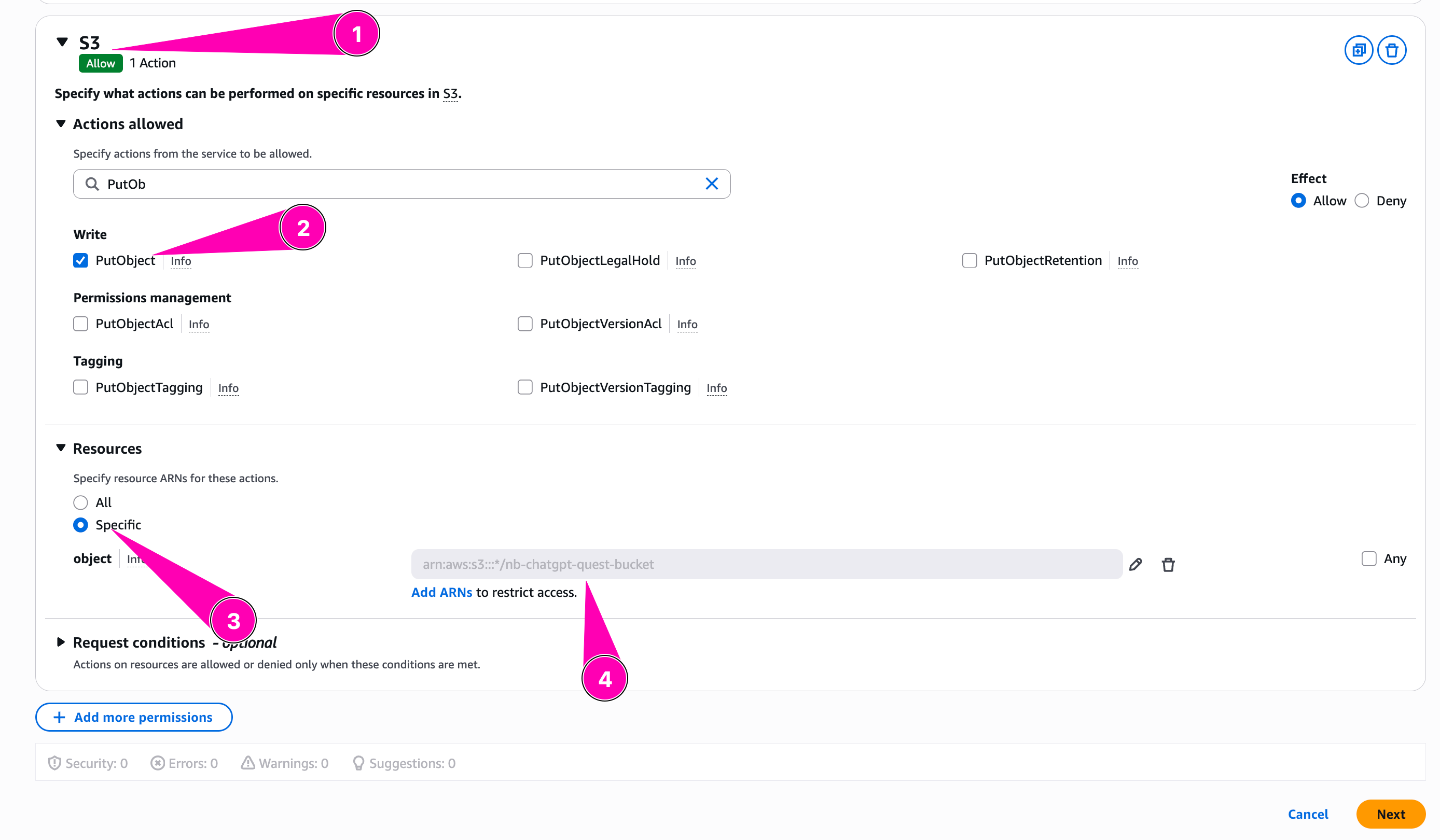
Then we add allow S3:PutObject to spesific bucket we created
Review all, when seems correct, begin to create policy
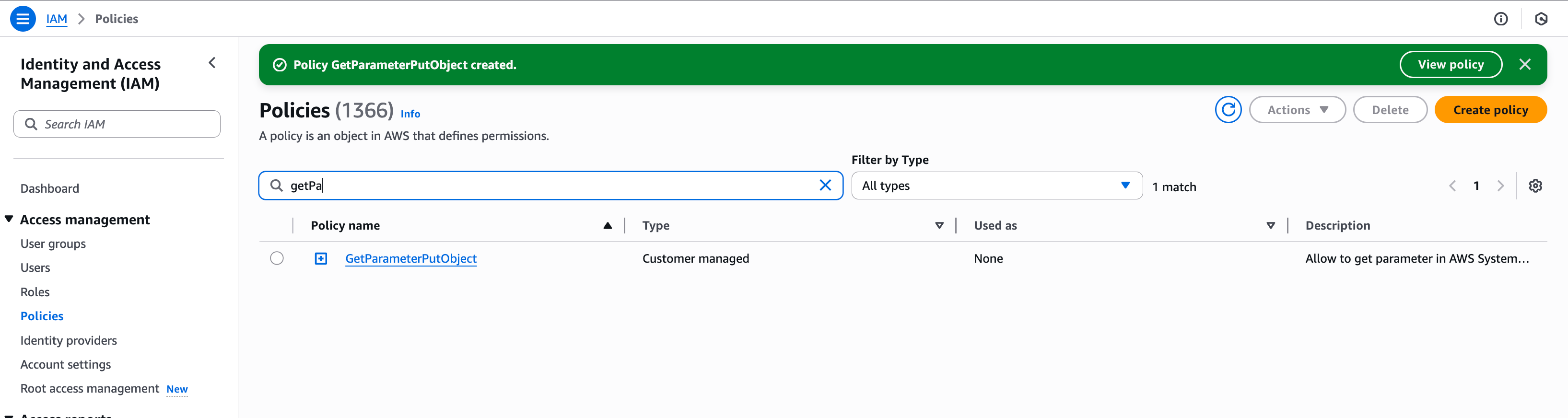
Policy created
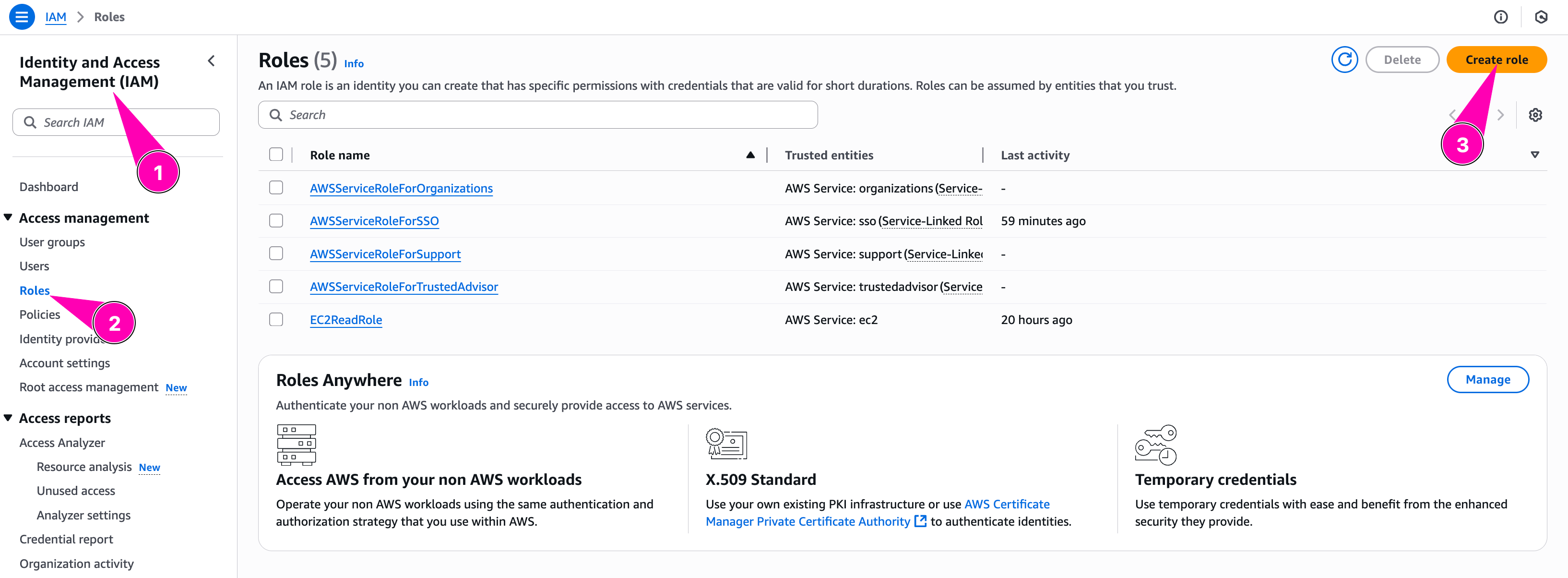
Then we assign new policy to role WebServerRole. Navigate to Identity and Access Management (IAM) > Roles > Create Role
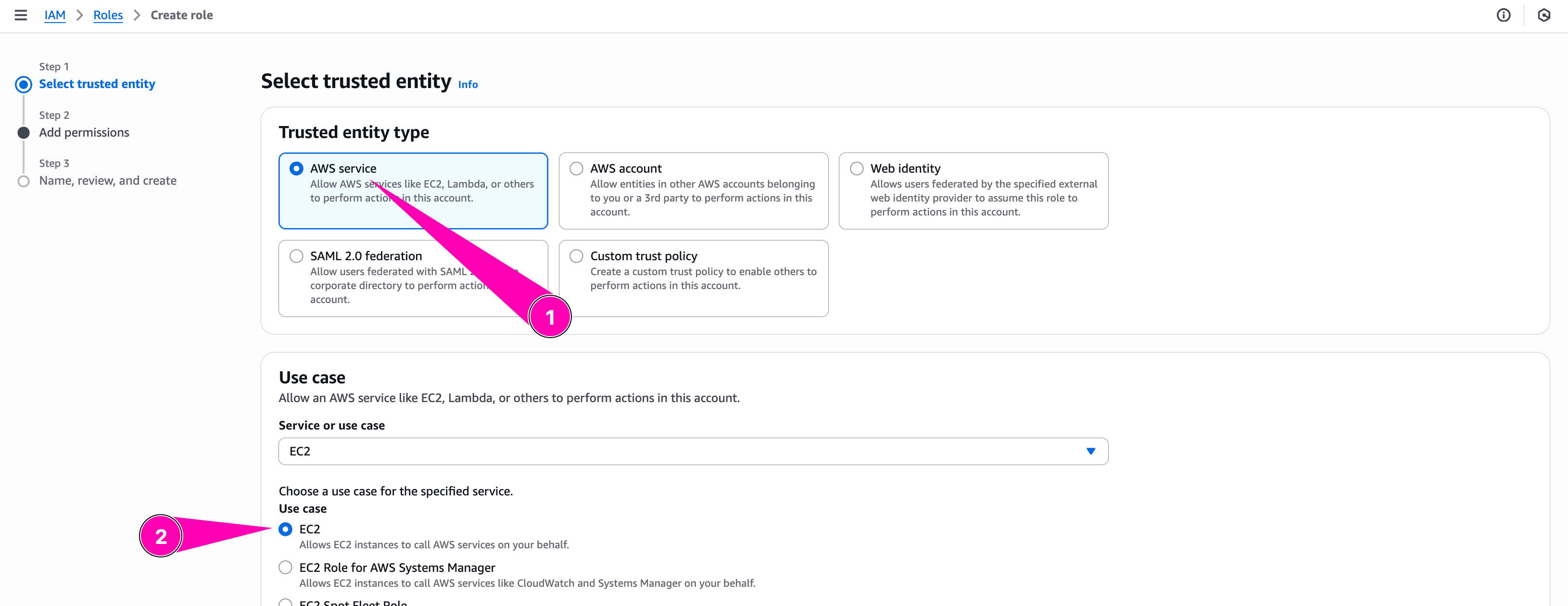
Configure trusted entity type to Aws Service, and select EC2. Because this role attached to EC2 Instances
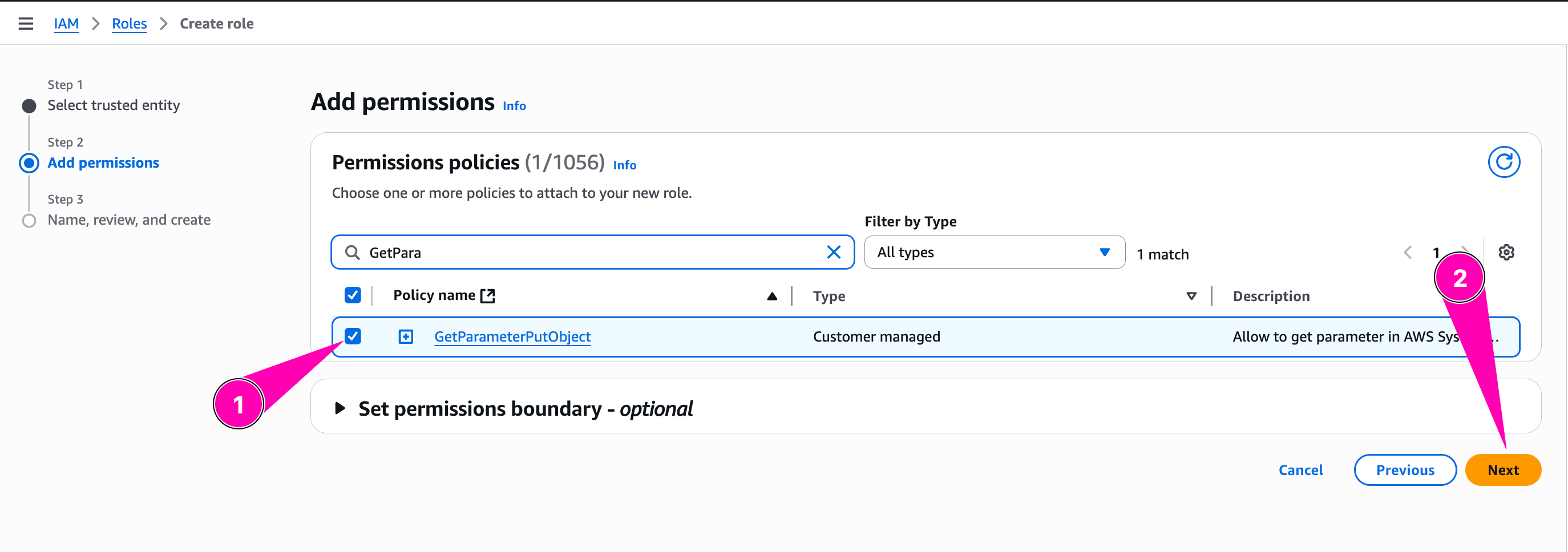
We need to checklist policy we want to attached to role
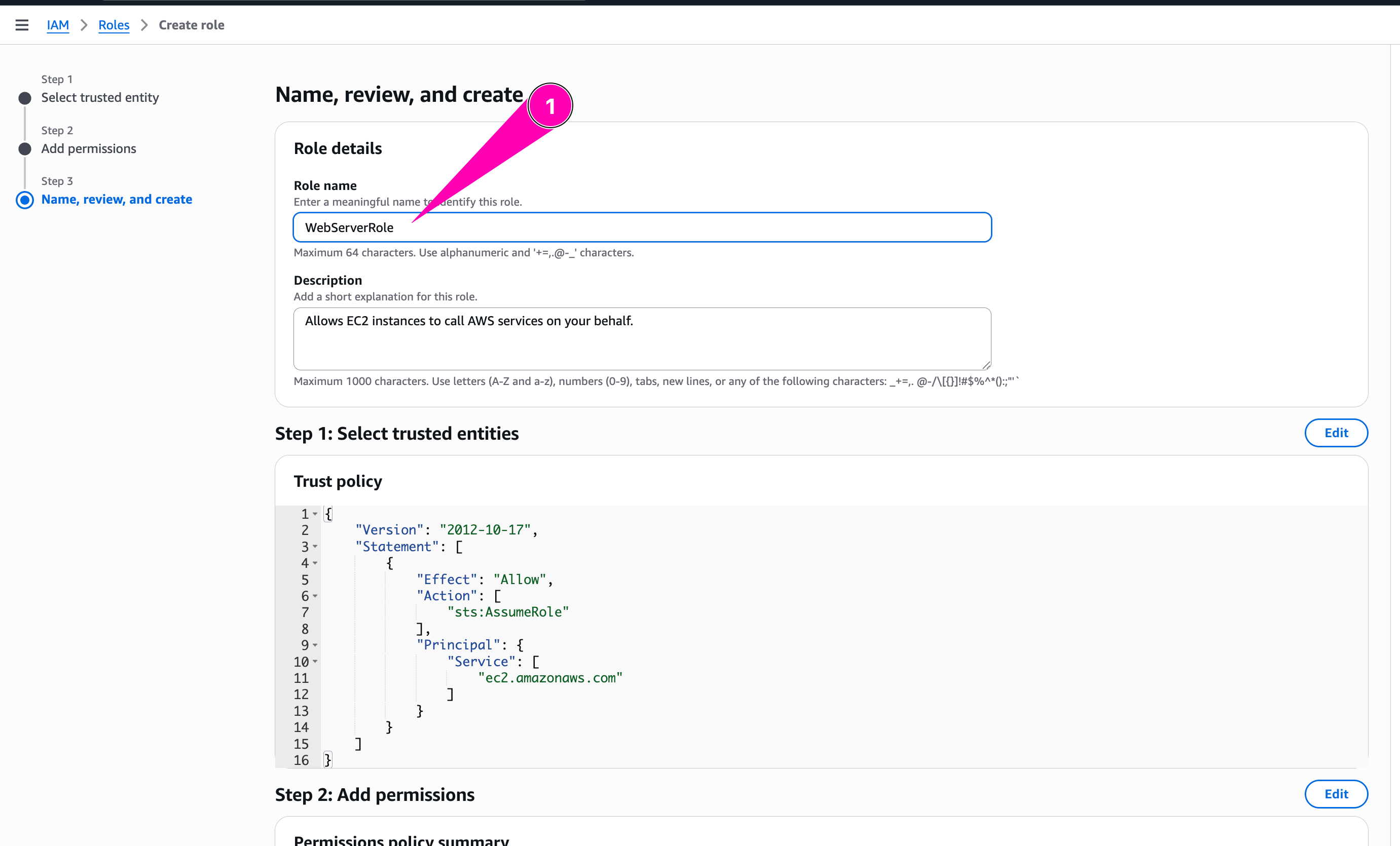
Review again, if all corrected, begin to create role
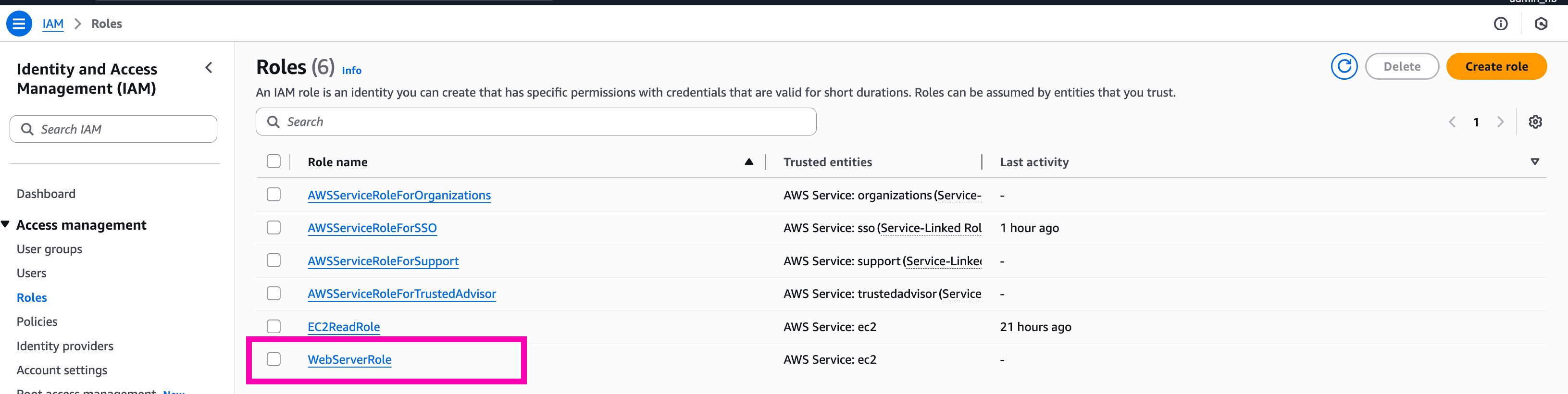
Role WebServerRole created.
Test, launch instance and attach WebServerRole
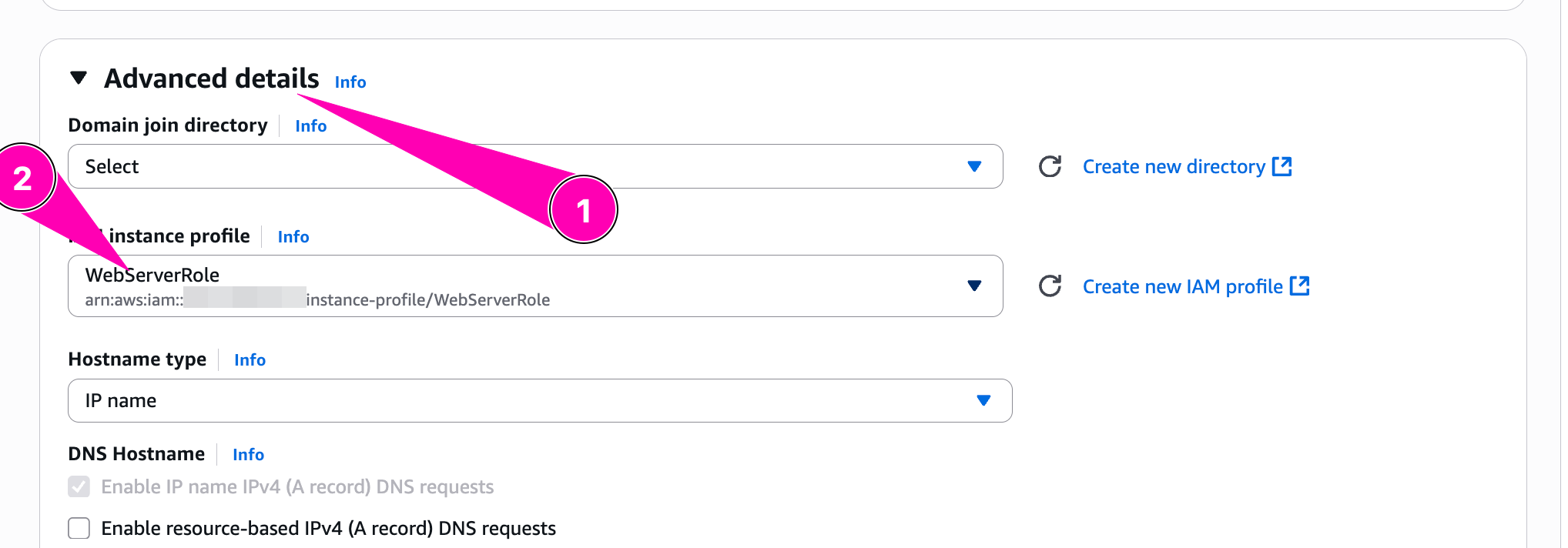
When provisioning instance, we need to attach WebServerRole in IAM Profile by access to Advanced Details > IAM Instance Profile
Check role attached using IMDSv2
TOKEN=`curl -X PUT "http://169.254.169.254/latest/api/token" -H "X-aws-ec2-metadata-token-ttl-seconds: 21600"`

curl -H "X-aws-ec2-metadata-token: $TOKEN" \
  http://169.254.169.254/latest/meta-data/iam/security-credentials/
Result, successfuly to attach role WebServerRole

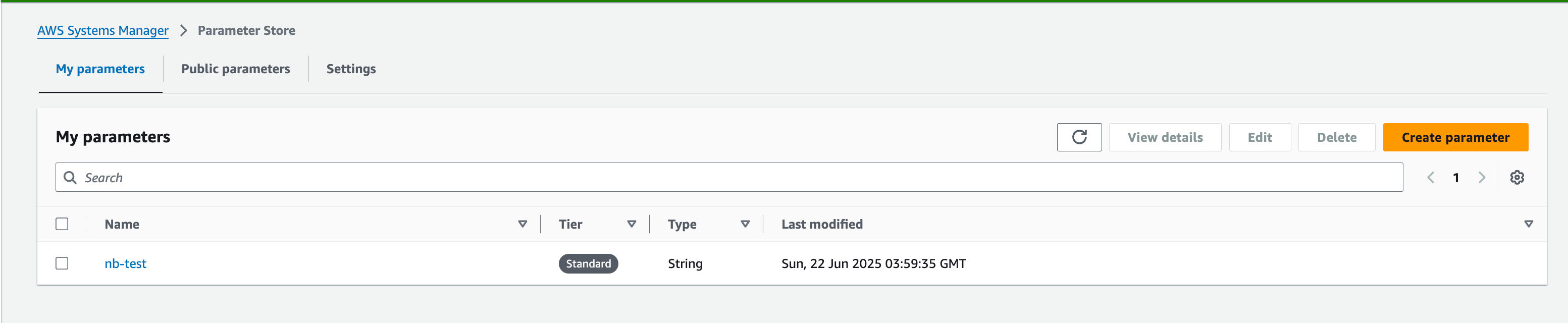
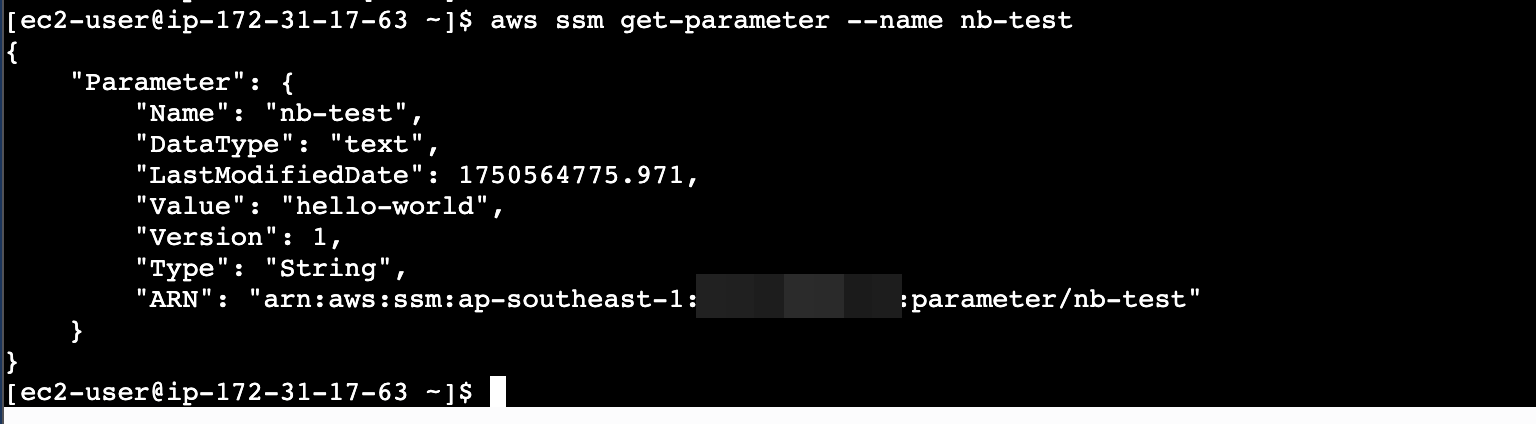
Trying to get parameter, nb-test
aws ssm get-parameter
How about delete-parameter

Denied, because doesn’t have policy ssm:DeleteParameter
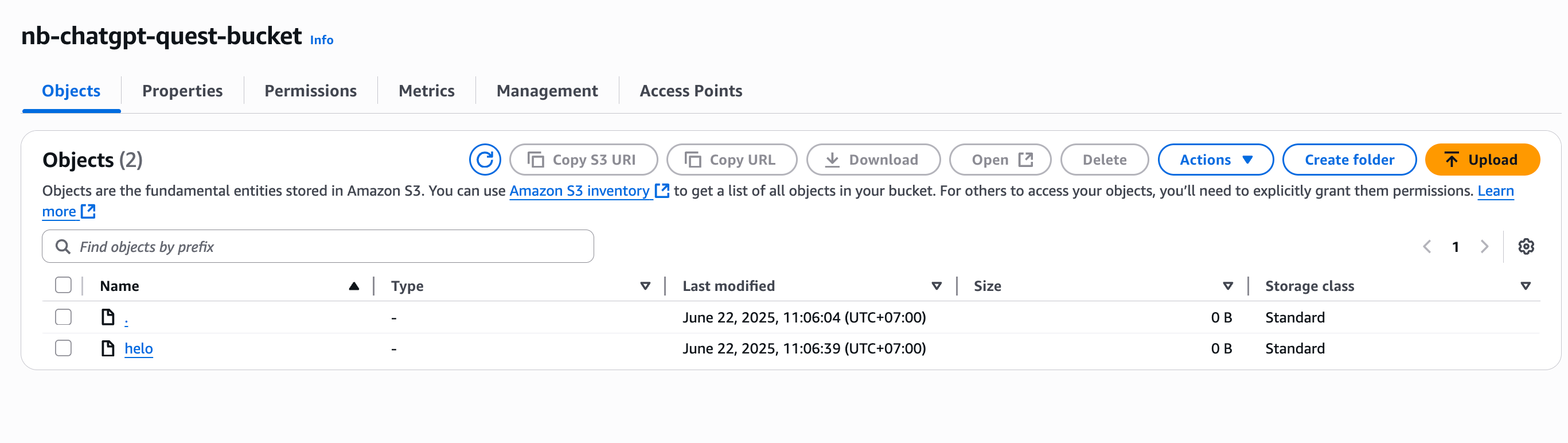
Try to put helo on S3 Bucket

Daily Quest #5: “Terraforming the Multi-Tier VPC”
Terraform is infrastructure as a code tool. Allow user to create anything resources using a declarative code typically HashiCorp Configuration Language (HCL). This can make infrastructure more flexible using code instead of accessing console again-and again.
Reference :
- AWS Providers Terraform
- https://developer.hashicorp.com/terraform/tutorials/aws-get-started
- https://github.com/ngurah-bagus-trisna/aws-vpc-iaac
Infrastructure as Code (IaC) tools allow you to manage infrastructure with configuration files rather than through a graphical user interface. IaC allows you to build, change, and manage your infrastructure in a safe, consistent, and repeatable way by defining resource configurations that you can version, reuse, and share.
So in this section, i want to create IaaC base from this article section Daily Quest #3: AWS Networking & VPC Deep Dive
Setup OpenTofu
Opentofu is opensource alternative for terraform.
Reference :
I’m using Ubuntu os so i prefer to chose deb install method
curl --proto '=https' --tlsv1.2 -fsSL https://get.opentofu.org/install-opentofu.sh -o install-opentofu.sh

chmod +x install-opentofu.sh

./install-opentofu.sh --install-method deb

# verify install
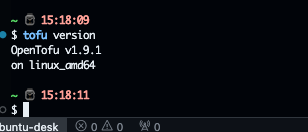
tofu version
Result
Setup VPC
- Create file
main.tfwith AWS provider and region
terraform {
  required_providers {
    aws = {
      source  = "hashicorp/aws"
      version = "~> 5.0"
    }
  }
}

# Configure the AWS Provider
provider "aws" {
  region = "ap-southeast-1"
}
- Setup variable.
On terraform, input variable let you customize aspects of modules without altering the module’s own source code. This function allows to share modules accrost different terraform configuration. Create file called variable.tf. Reference
variable "vpc_cidr" {
  type = string
}

variable "subnet" {
  type = map(object({
    subnet_range      = string
    availability_zone = string
    type              = string
  }))
}

variable "natgw_name" {
  type = string
}

variable "route_tables" {
  type = map(
    object({
      cidr_source       = string
      route_destination = string
    })
  )
}
Then setup main.tf
terraform {
  required_providers {
    aws = {
      source  = "hashicorp/aws"
      version = "~> 5.0"
    }
  }
}

# Configure the AWS Provider
provider "aws" {
  region = "ap-southeast-1"
}

resource "aws_vpc" "nb-chatgpt-vpc" {
  cidr_block = var.vpc_cidr
  tags = {
    "Name" = "nb-chatgpt-vpc"
  }
}

resource "aws_subnet" "nb-subnet" {
  vpc_id   = aws_vpc.nb-chatgpt-vpc.id
  for_each = var.subnet

  cidr_block        = each.value.subnet_range
  availability_zone = each.value.availability_zone
  tags = {
    "Name" = each.key
    "Type" = each.value.type
  }
}

resource "aws_internet_gateway" "nb-inet-gw" {
  vpc_id = aws_vpc.nb-chatgpt-vpc.id

  tags = {
    Name = "nb-inet-gw"
  }
}

resource "aws_eip" "nb-eip-nat-gw" {
  tags = {
    "Name" = "nb-eip-nat-gw"
  }
}

locals {
  public_subnet_ids = [
    for key, subnet in var.subnet : aws_subnet.nb-subnet[key].id
    if subnet.type == "public"
  ]
  private_subnet_ids = [
    for key, subnet in var.subnet : aws_subnet.nb-subnet[key].id
    if subnet.type == "private"
  ]
}

resource "aws_nat_gateway" "nb-nat-gw" {
  depends_on        = [aws_eip.nb-eip-nat-gw]
  allocation_id     = aws_eip.nb-eip-nat-gw.id
  subnet_id         = local.public_subnet_ids[0]
  connectivity_type = "public"
  tags = {
    "Name" : var.natgw_name
  }
}

resource "aws_route_table" "net-public" {
  for_each = var.route_tables
  vpc_id   = aws_vpc.nb-chatgpt-vpc.id

  route {
    cidr_block     = each.value.cidr_source
    gateway_id     = each.value.route_destination == "igw" ? aws_internet_gateway.nb-inet-gw.id : null
    nat_gateway_id = each.value.route_destination == "nat" ? aws_nat_gateway.nb-nat-gw.id : null
  }
}

resource "aws_route_table_association" "public" {
  subnet_id      = aws_subnet.nb-subnet["public-net"].id
  route_table_id = aws_route_table.net-public["public"].id
}

resource "aws_route_table_association" "private" {
  subnet_id      = aws_subnet.nb-subnet["private-net"].id
  route_table_id = aws_route_table.net-public["private"].id
}

output "vpc_id" {
  value = aws_vpc.nb-chatgpt-vpc.id
}

output "public_subnet_id" {
  value = local.public_subnet_ids
}

output "private_subnet_id" {
  value = local.private_subnet_ids
}

output "nat_gateway_public_ip" {
  value = aws_nat_gateway.nb-nat-gw.public_ip
}
Then setup all value for variable in dev.tfvars
vpc_cidr = "10.0.0.0/16"
subnet = {
  "public-net" = {
    subnet_range      = "10.0.1.0/24"
    availability_zone = "ap-southeast-1c"
    type              = "public"
  },
  "private-net" = {
    subnet_range      = "10.0.2.0/24"
    availability_zone = "ap-southeast-1c"
    type              = "private"
  }
}

natgw_name = "nb-natgw"

route_tables = {
  "private" = {
    cidr_source       = "0.0.0.0/0"
    route_destination = "nat"
  },
  "public" = {
    cidr_source       = "0.0.0.0/0"
    route_destination = "igw"
  }
}
Then Init, plan, apply
tofu init
tofu plan -var-file=dev.tfvars

# if everything correct, apply to create resources
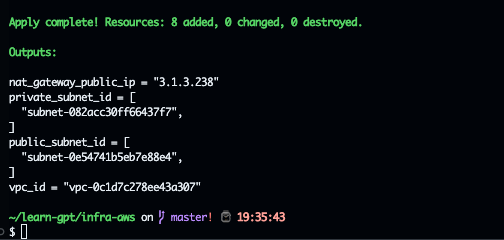
tofu apply
Result
Testing
Create 2 ec2 instances
Instance : public-net, Attach public subnet, and attach elastic-ip for access. Access to instances, check public_ip,
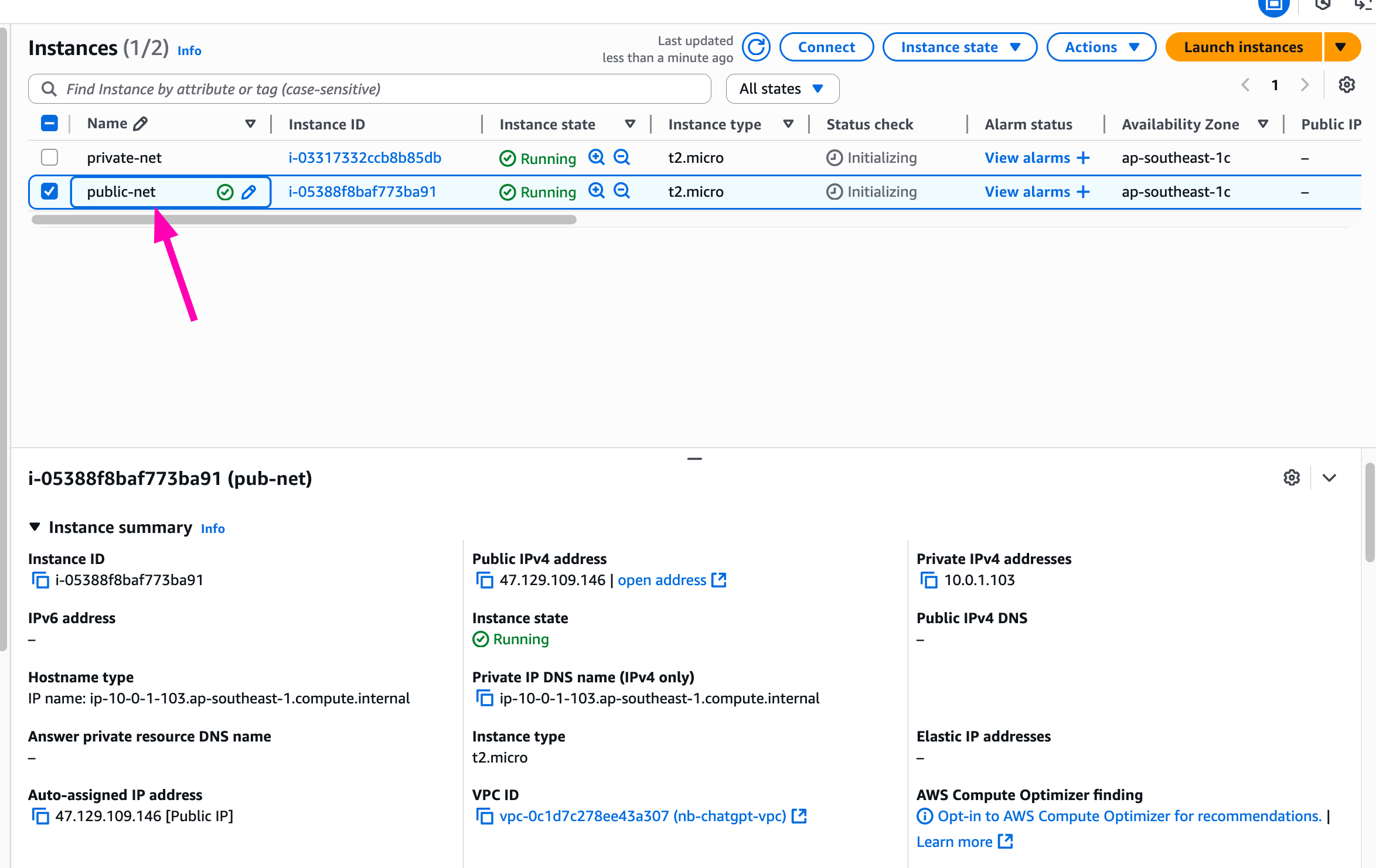
public-net instance using same as public_ipv4 attached to instance.
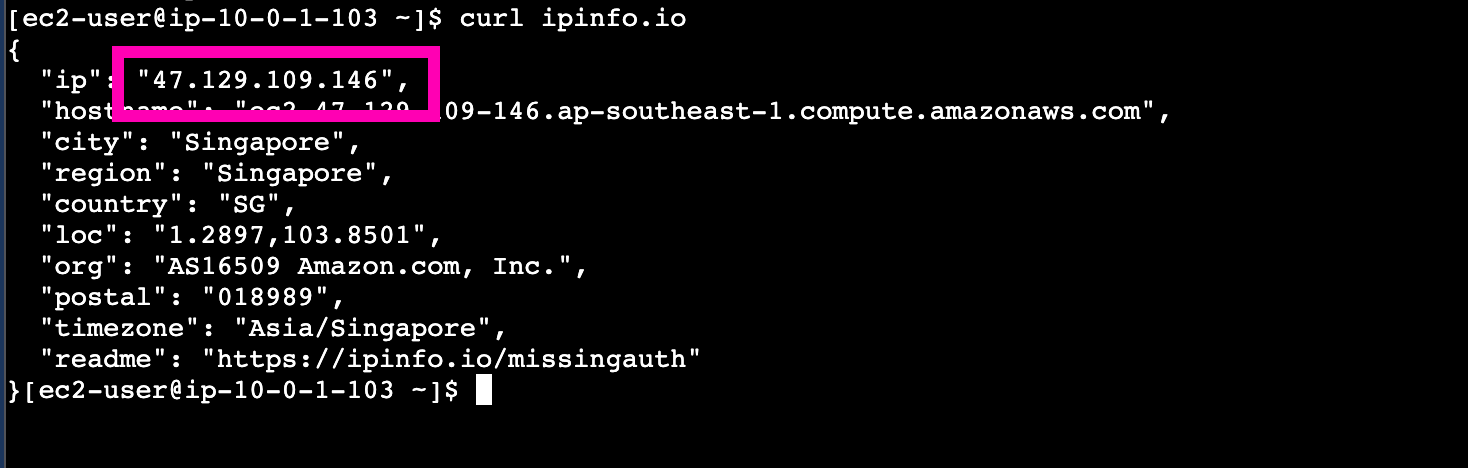
Then access private-net instances from public-net. Makesure public ip using nat gateway address.
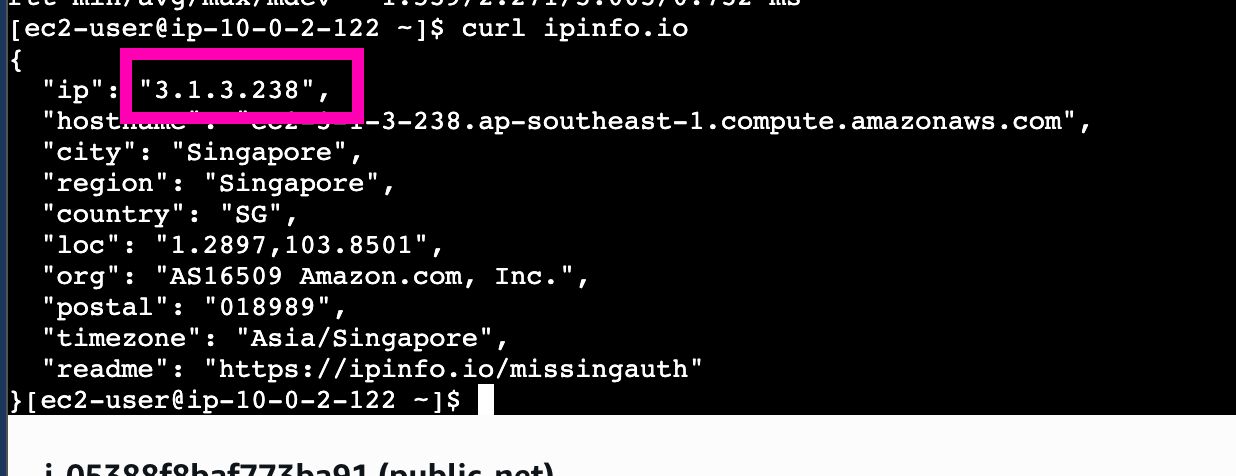
Using nat-gateway address.
Read more

Provisioning AWS Lambda dengan Terraform
Lanjutan belajar AWS: mengenal Lambda dan provisioning Lambda function di AWS menggunakan Terraform.

Provisioning EC2 dan RDS di AWS dengan Terraform
Catatan provisioning infrastruktur AWS pakai Terraform untuk EC2 dan RDS, mulai dari konfigurasi sampai hasil apply-nya.

AWS IAM Least-Privilege Policy dan VPC Networking Deep Dive
Menyusun IAM policy least-privilege dan IAM role di AWS, lalu lanjut ke networking VPC: subnet publik-privat sampai NAT Gateway.

Belajar AWS VPC: Subnet, Internet Gateway, dan EC2 Free Tier
Catatan belajar dasar AWS VPC: bikin subnet, Internet Gateway, Security Group, dan EC2 di AWS Free Tier, termasuk setup IAM user dan AWS CLI.